
Bring one clear photo
Show one adult’s face, hairstyle and upper body. Keep the outfit you want visible and check permission first.
Viral freestyle · Updated Oct 12, 2026
Your photo. The freestyle everyone recognizes. Step into the 19-second Bulin 47 AI trend, with the source moves, reference scene and sound as your reference.
Your performances will appear here. Add a lead photo to create your first video.
The trend, explained
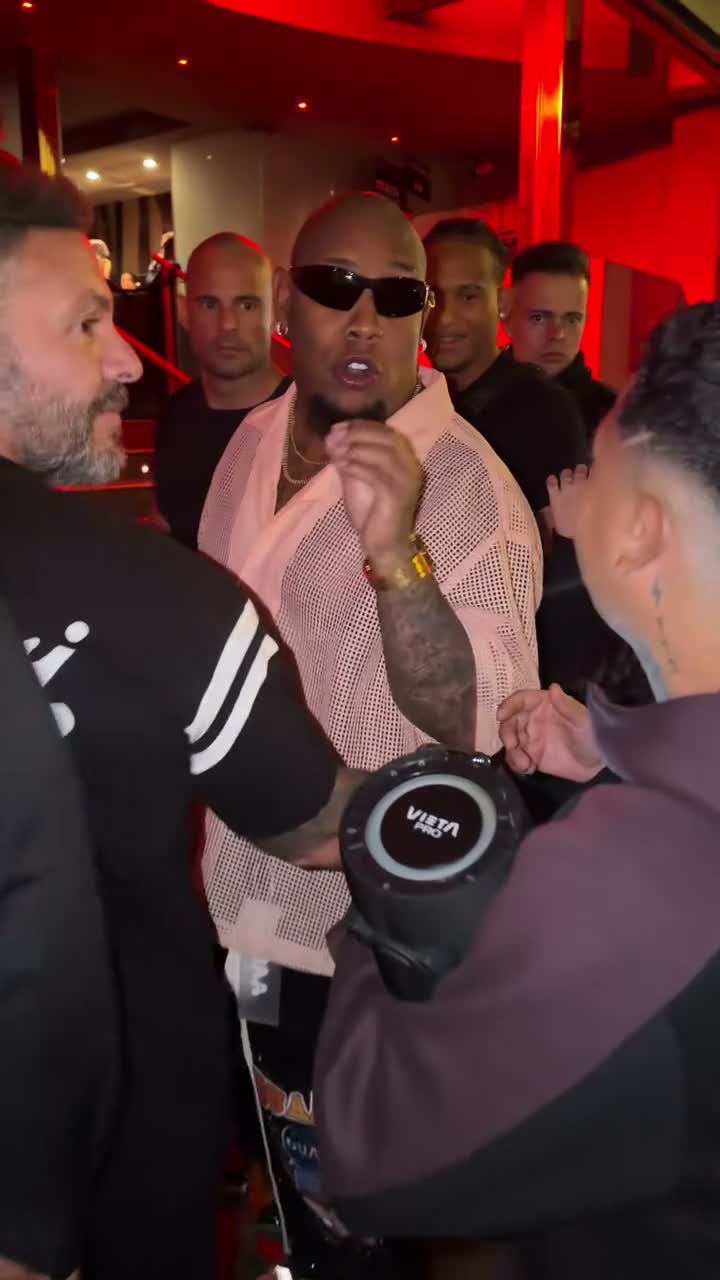
Bulin 47 AI is a photo-to-video take on the viral freestyle with Bulin 47 and Kevin Wai. A character photo replaces the lead performer while the reference guides the shoulder moves, handheld camera and reference scene.
This preset uses the 19-second segment popular in AI recasts. Kevin’s complete original post is longer. Your photo supplies the face, hair and clothing; the source supplies the performance.
Read the Bulin 47 AI trend guide →From photo to performance
Show one adult’s face, hairstyle and upper body. Keep the outfit you want visible and check permission first.
Use the original supporting crowd or open Supporting cast to add your own. Choose a quality and review the credits.
Find the task in My creations. Check the face, hands, crowd and sound before downloading your vertical MP4.
Same scene. Different characters.
Examples from the TikTok trend. These third-party clips illustrate creative directions and are not results generated by this website.
Use a sharp, evenly lit portrait. Show the whole face, hair and upper body. One person per photo; JPG, PNG or WebP up to 32 MB. An outfit visible in your photo gives the edit a clearer reference.
Lip movement is not guaranteed to match every syllable. Hands, overlapping objects and background people may shift. Glasses or other source accessories may remain. The result may retain some facial features of the original performer. Higher resolution does not guarantee better likeness.
Watching examples and preparing a photo are free. New accounts receive 18 one-time credits, which do not cover a freestyle. A 19-second video uses 300 credits at 480p or 650 at 720p. Credit packs start at $9.90.
No. This is an independent AI creation tool, with no affiliation, sponsorship or endorsement from Bulin 47, Kevin Wai or their teams.
Upload a clear adult portrait, choose 480p or 720p, confirm your permissions and sign in. Review the credit charge before submitting. Your task and download appear in My creations.
The output is a 19-second video; rendering takes longer. Completion time depends on the provider queue and input. Follow your existing task in My creations instead of submitting duplicate requests.
The delivery process restores the matching source audio to the edited video. It does not clone your voice. Listen to the completed MP4 before sharing; an audio-processing problem can require review.
Leave Supporting cast empty to request the original surrounding people. For a group recast, add up to five separate adult portraits with permission. This uses 300 credits at 480p or 650 at 720p. AI can alter details even when asked to preserve them.
No. Upload your own photo or an adult who has consented. Do not upload celebrities, public figures or minors. You also need permission for any footage, music or characters you publish.
A task marked failed automatically returns its site credits. This is a credit restoration, not an automatic cash refund. Interrupted or uncertain provider responses may need review. Cash refund eligibility is explained in the Refund Policy.
One photo starts it. The scene is already here.
Make my Bulin 47 AI videoIndependent fan tool. Not affiliated with or endorsed by Bulin 47, Kevin Wai or their labels. Names, music and third-party clips belong to their respective owners.